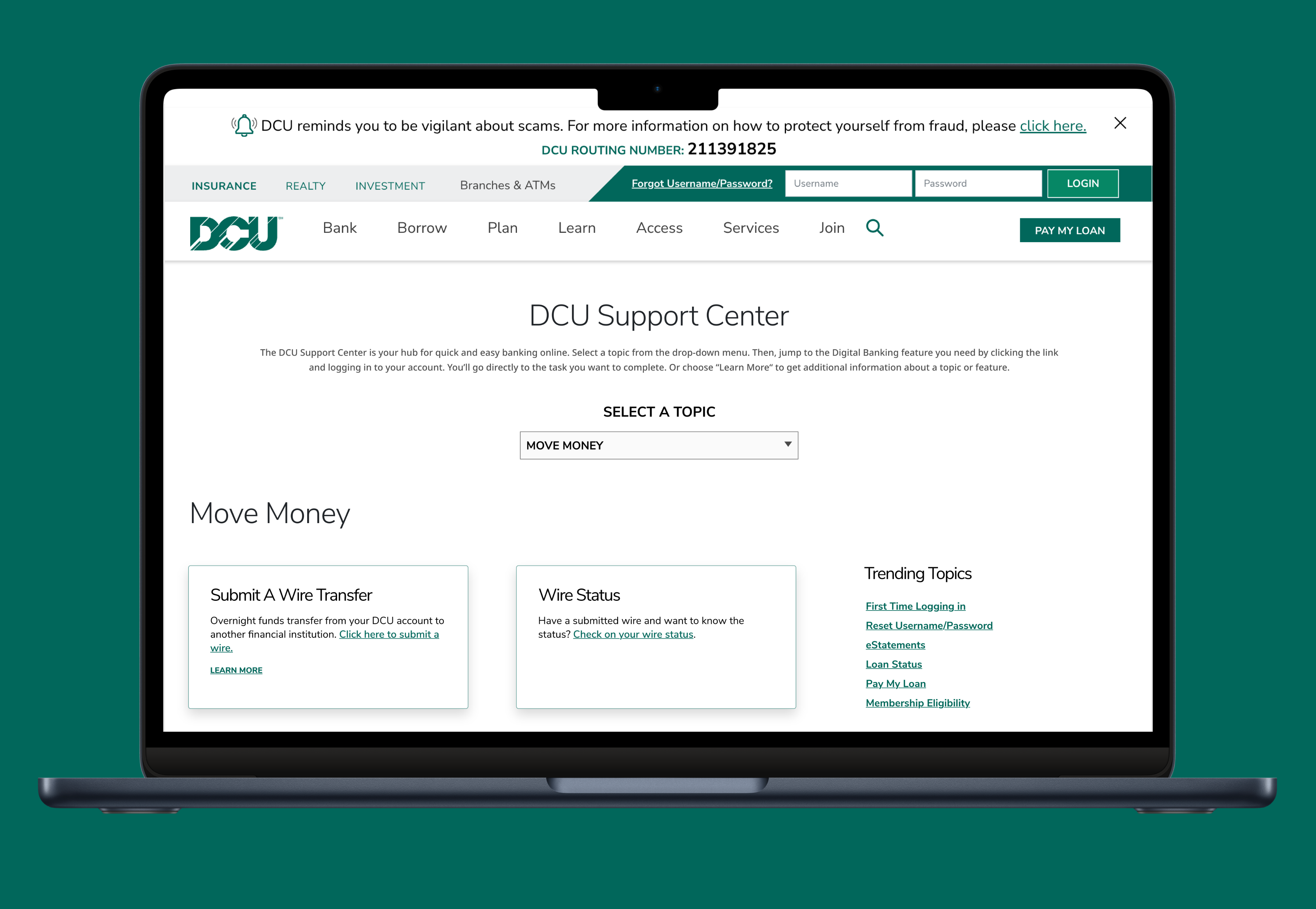
DCU.org is a marketing and information tool for members and potential members. In addition to product information, the current site has information, forms, instructions, etc. for every transaction a member can make at the credit union but not all of the self-help information is easy to find when it is needed. A number of business areas have reviewed and provided insight, and recommendations to outline the problem areas and opportunities.
Members are contacting DCU to find out how to conduct transactions with their accounts and DCU. This leads to increase in call volume and frustration for customers. Much of this information is currently on the website but it is not easy to find and scattered all across the website.
enterprise ux | software
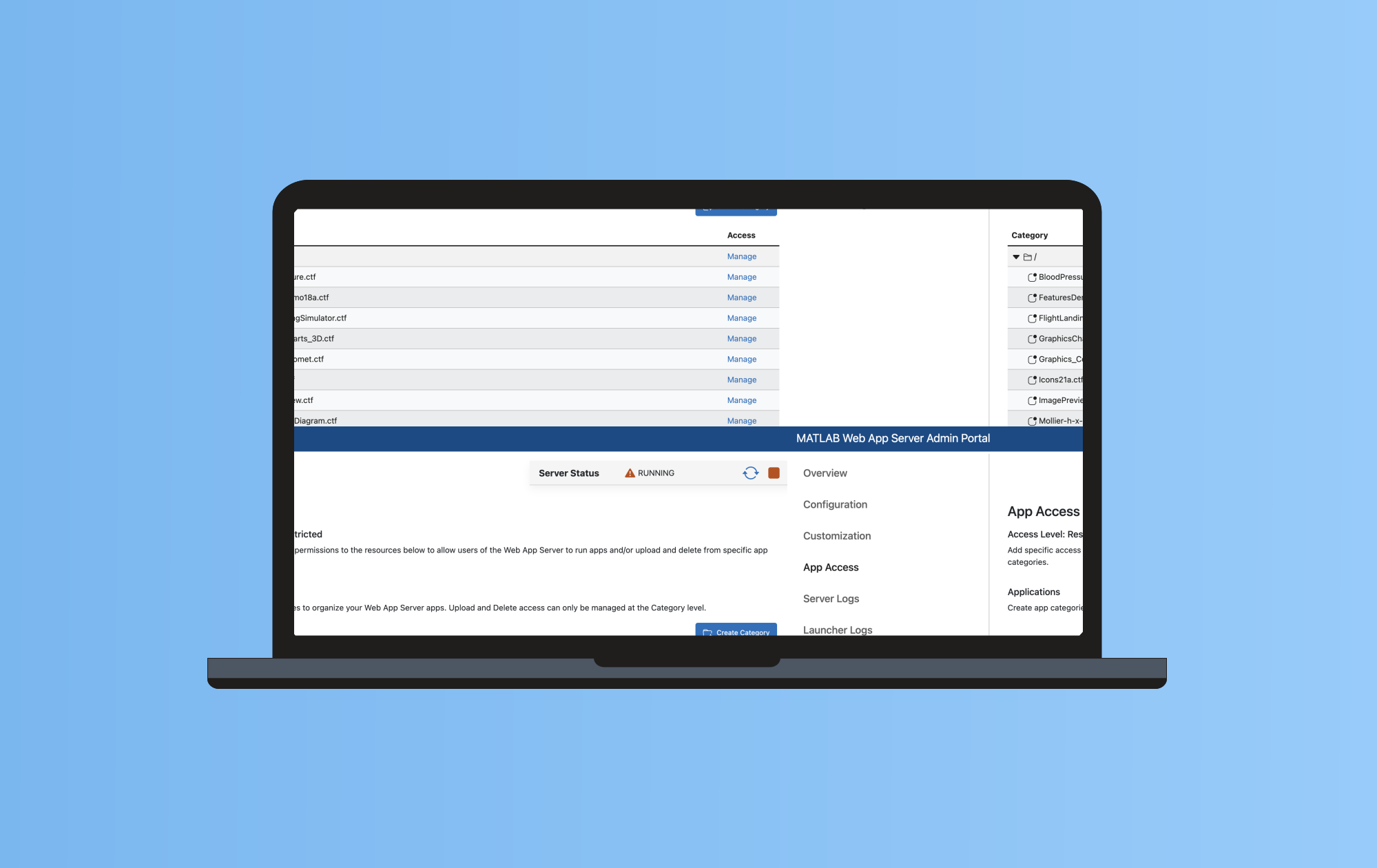
Designing a MATLAB Web App Server Admin Portal that enables administrators to manage roles, permissions, and rules through a centralized interface.
01 — Overview
The Problem
As MATLAB Web App Server evolved, configuration workflows became increasingly complex and fragmented across files and settings. Many MATLAB users managing deployments were not traditional IT admins, making server setup, role management, and permissions difficult to understand and prone to error.
My Approach
Designed a centralized Admin Portal that translated technical configuration workflows into a guided web interface. Focused on simplifying roles, permissions, and server management tasks through clearer information architecture, progressive disclosure, and patterns aligned with how MATLAB users expect to configure tools
The Outcome
Delivered a streamlined admin experience that reduced reliance on manual configuration and made server management accessible to non-IT MATLAB users. The portal provided clearer visibility into permissions and rules, enabling faster setup and more confident administration as the platform scaled.
02 — The Problem
MATLAB Web App Server was designed so a typical MATLAB user could deploy and manage web apps without specialized IT training. As the product matured and new capabilities were added, configuration workflows became more complex especially around roles, permissions, and rule-based access. What used to be manageable through simple setup steps started to require deeper system knowledge and careful configuration to avoid mistakes.
The Admin Portal emerged as a way to bring these growing configuration needs into a single, guided interface that still supports non-IT MATLAB users
Business Problem
As Web App Server expanded, management tasks (especially permissions and rule configuration) became harder to scale through fragmented workflows. The product needed a centralized admin experience that could support more features, more users, and more configurations — without increasing setup burden or support overhead.
User Problem
Many administrators were not dedicated IT admins, they were MATLAB users responsible for running and sharing apps. They needed to assign roles, manage permissions, and control access confidently, but existing workflows made it difficult to understand what settings did, where to configure them, and how changes affected users.
Started planning for research by outlining research goals, assumptions, methodologies, and timeline. I identified which customers should I target initially, what the best research methods are, and what the key areas of inquiry are. It helped me structure my approach to understand the opportunities in this area.
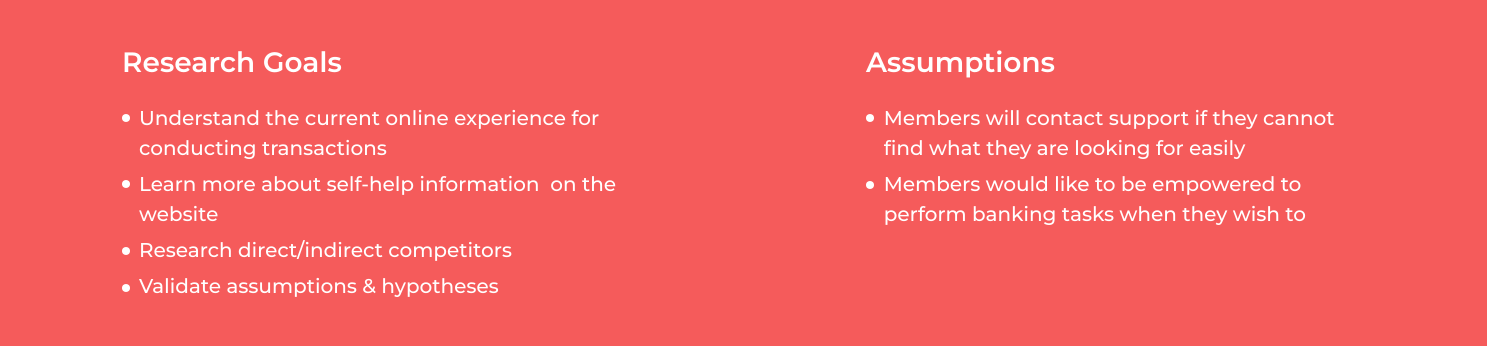
We conducted interviews with stakeholders to understand the problem space at hand and to uncover their pain points. After conducting the interviews, we analyzed the data, insights & recommendations provided by different business areas to identify requirements.
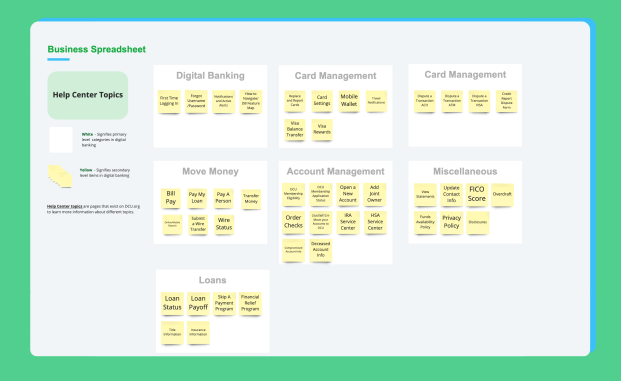
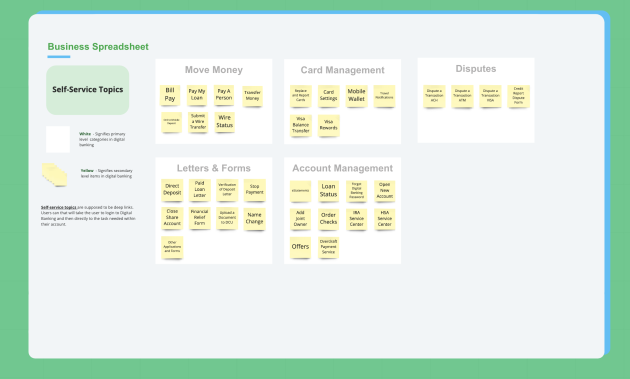
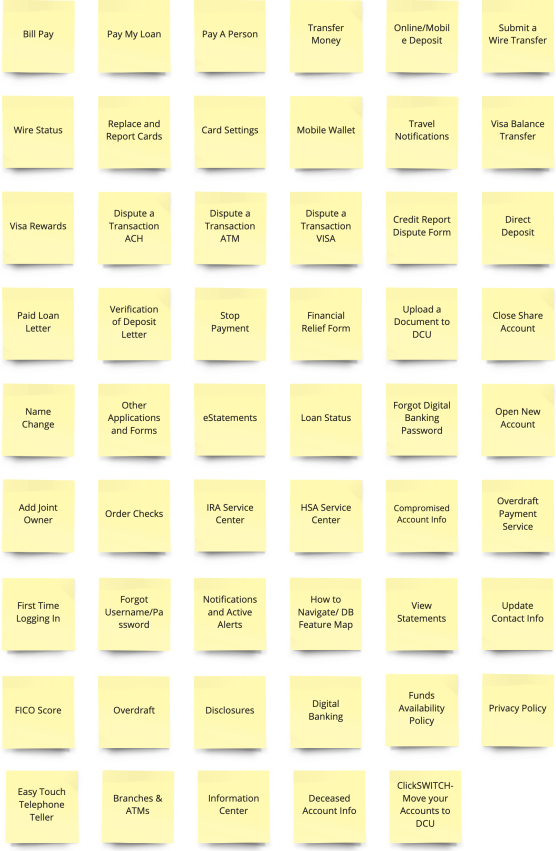
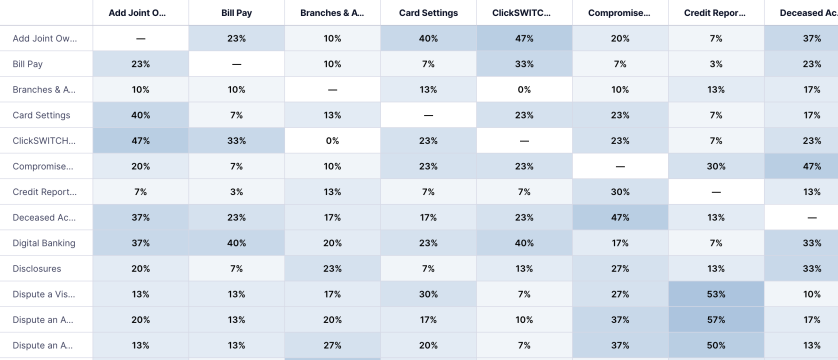
Since this would deal with the Information Architecture, so I wanted to perform a card sort to discover how people understand and categorize information so that I can organize and label content in a way that makes the most sense to members. I ran an open card sorting exercise with 30 participants online on UserZoom. Participants were asked to sort 53 cards into groups of their choosing and then were asked to name each group according to their understanding.I synthesized the findings to look for common patterns and also looked at how participants classified the information under different topics. Card sorting also helped to capture the different verbiage used by participants to group items.
.svg)
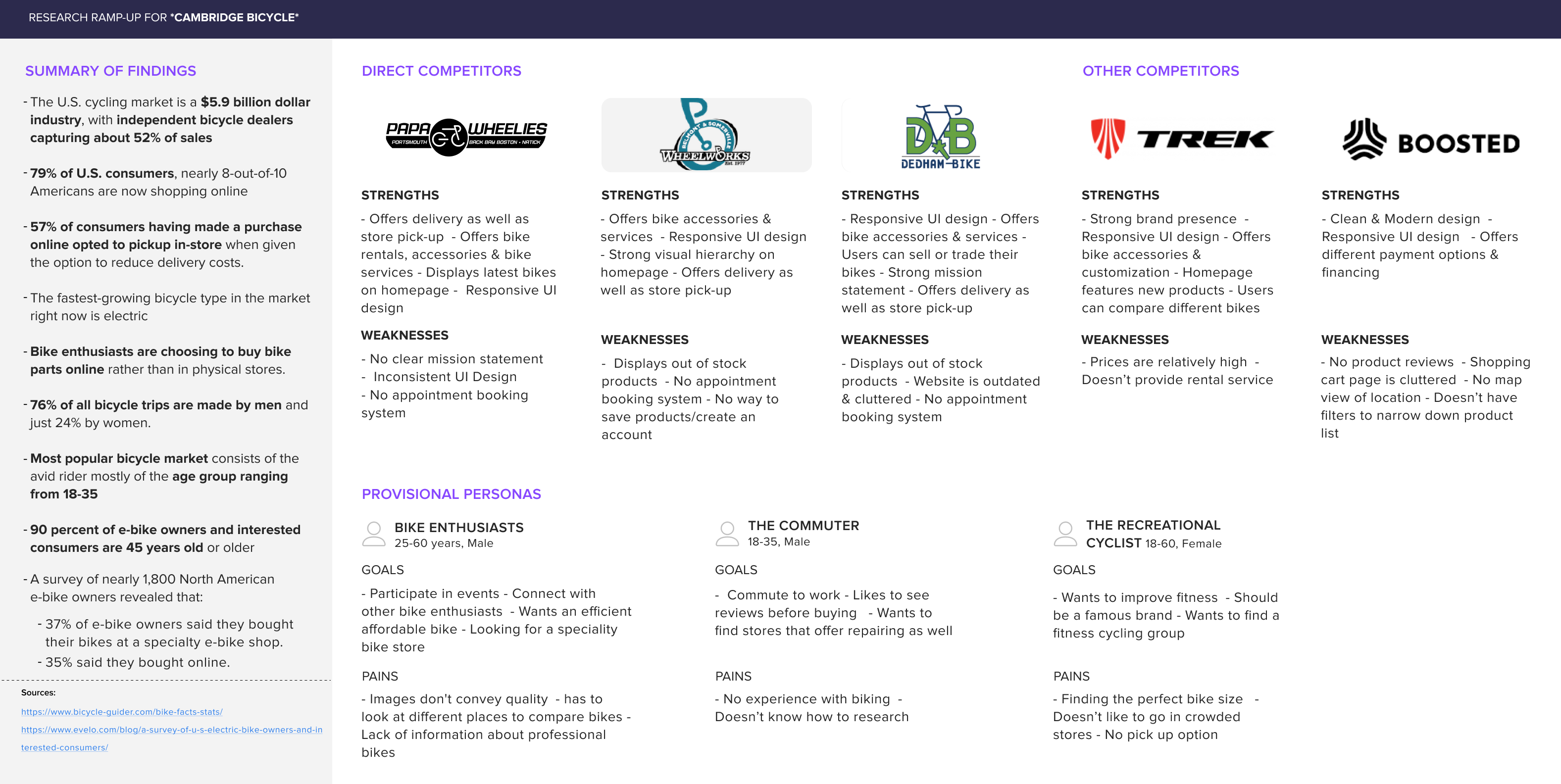
I performed competitive analysis on direct and indirect competitors to to understand what’s currently available to customers as well as identify their strengths & weaknesses
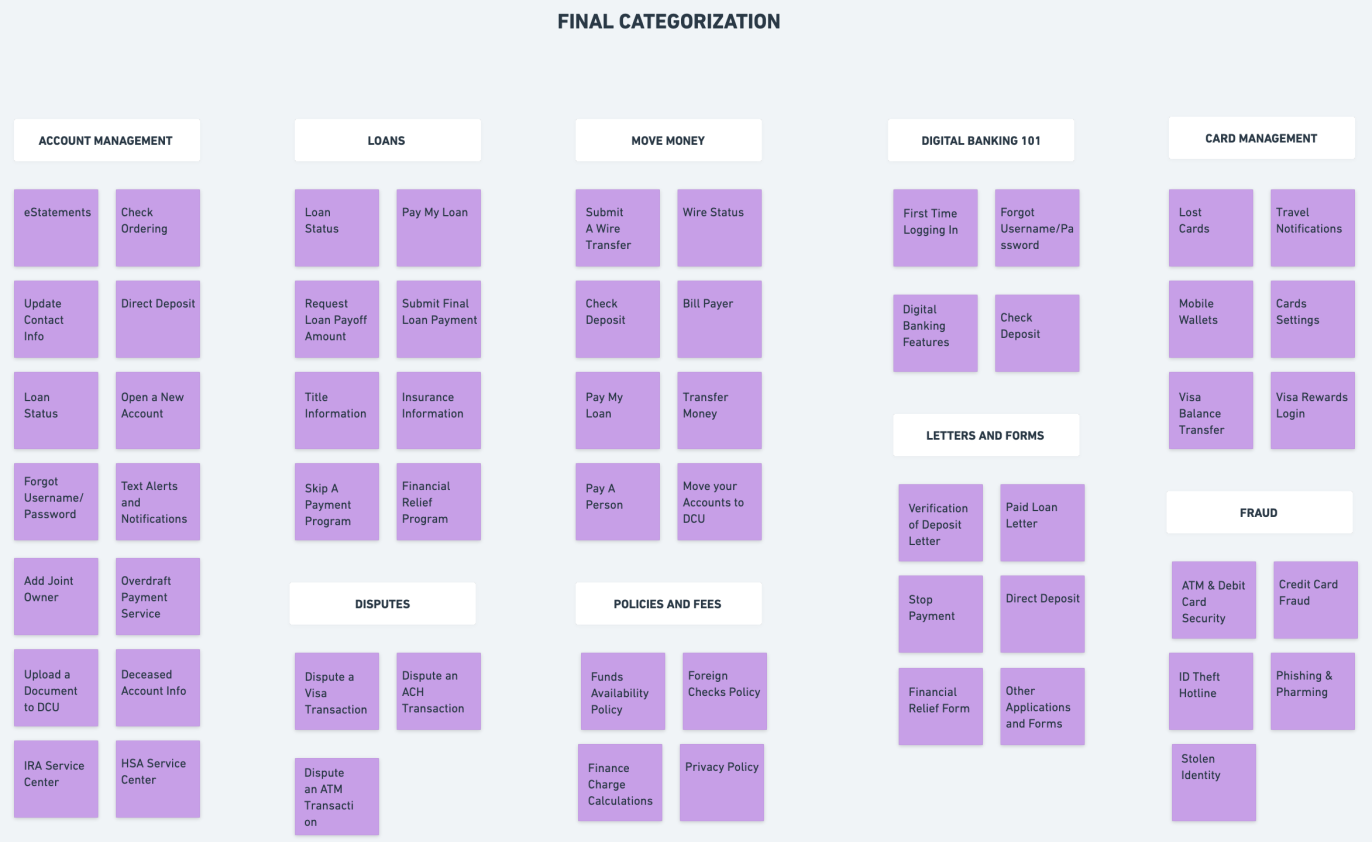
I synthesized the research by analyzing the data from business, results from competitive analysis & card sorting and to understand the pain points, frustrations, feelings and needs of users.I started by mapping out the user responses on post-it notes to gain a deep understanding of their experiences. Then, I looked for common patterns and created a cluster to capture the categorization.
03 — Research
Research focused on understanding how different administrative roles approached server configuration, where workflows broke down, and how increasing product complexity affected usability. Stakeholder discussions, workflow analysis, and role mapping helped clarify the spectrum of users from IT admins responsible for infrastructure to MATLAB users managing applications without formal admin training.
Stakeholder Interviews
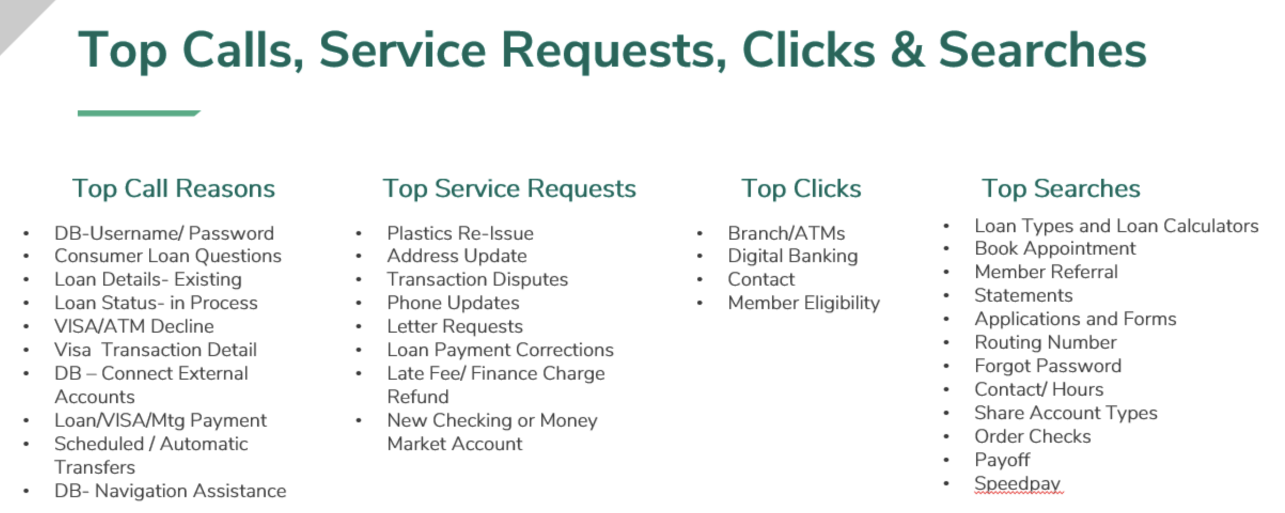
Interviewed DCU business stakeholders across multiple departments to understand the problem areas, top inbound call drivers, and opportunities. Transfers and mobile banking were identified as dominant call categories.
Card Sorting — 30 Participants
30 DCU members sorted 53 cards in an open card sort on UserZoom. 9 categories emerged from the results — including Account Management, Payments & Transfers, and Card Management — which directly informed the navigation structure.
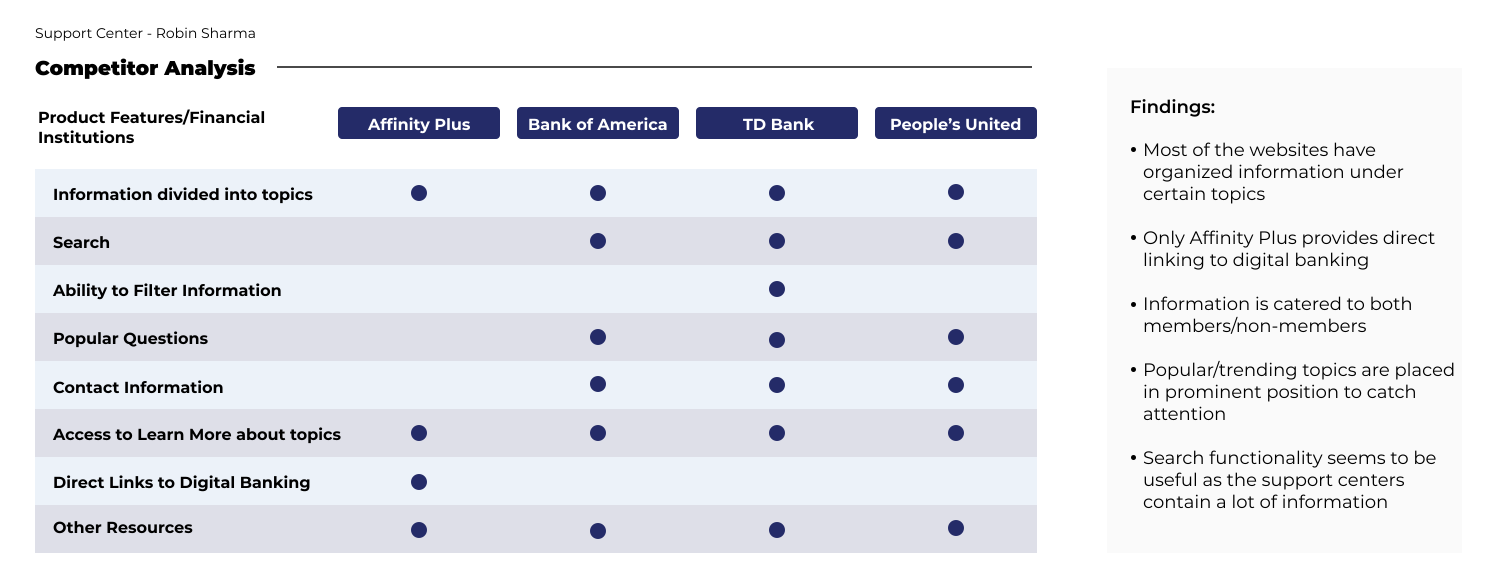
Competitive Analysis — 4 Competitors
Analysed Affinity Plus, Bank of America, TD Bank, and People's United. All four organised information under topics, and most included search and popular questions in a prominent position to help members find answers quickly.
Customer Research
Our starting point was to immerse ourselves in the world of our users. We began by understanding the different administrative roles that interact with the Web App Server, from those who require a high-level overview to users needing detailed access for fine-tuning applications. Our objective was to ensure that the Admin Portal could cater to this spectrum of needs with precision and ease.
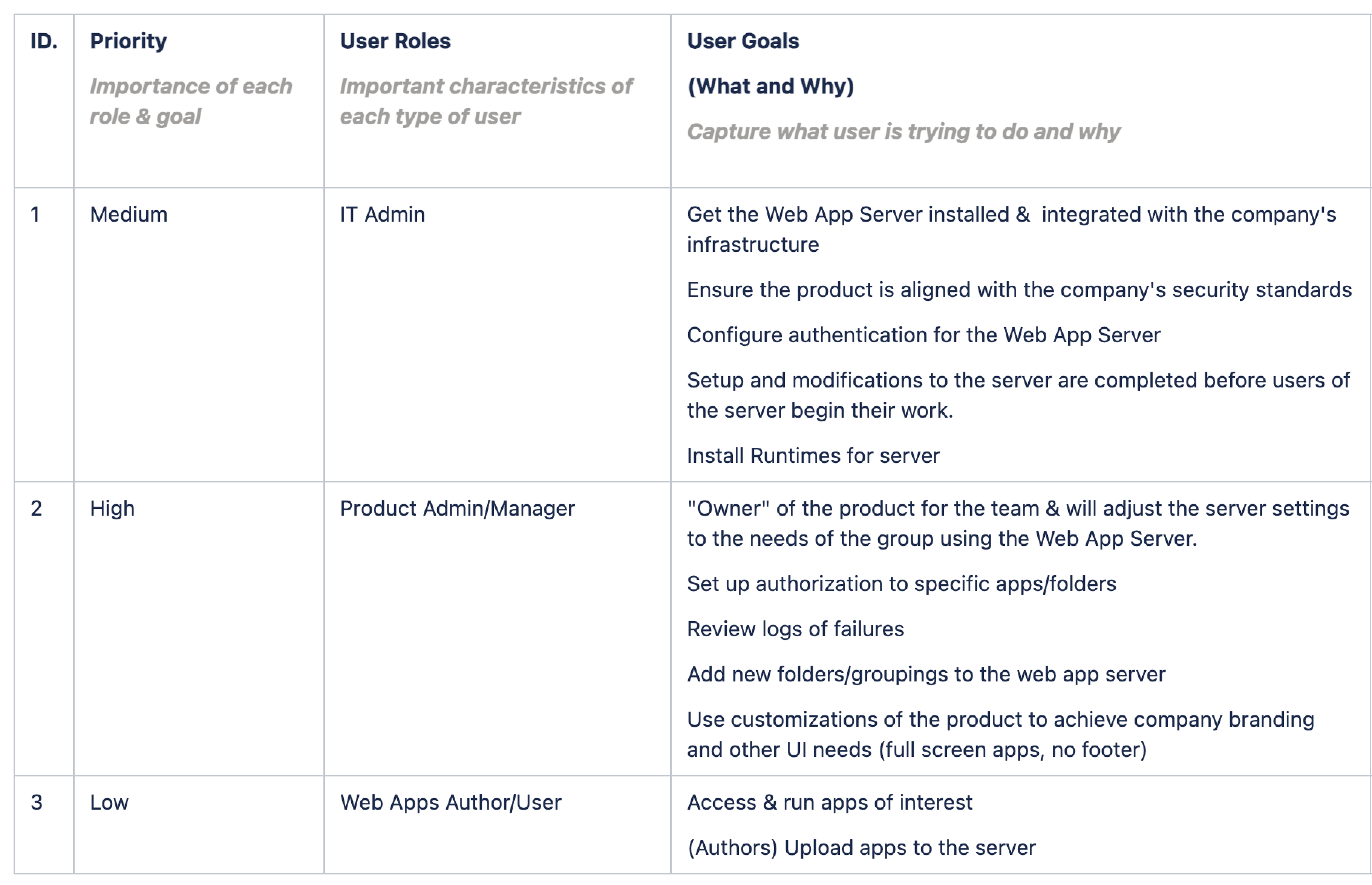
Pain Points
The team focused on documenting the existing pain points within the Web App Server's management process. This involved a comprehensive analysis of bugs and issues reported through our internal tool, alongside valuable insights gleaned from customer conferences and other support groups.
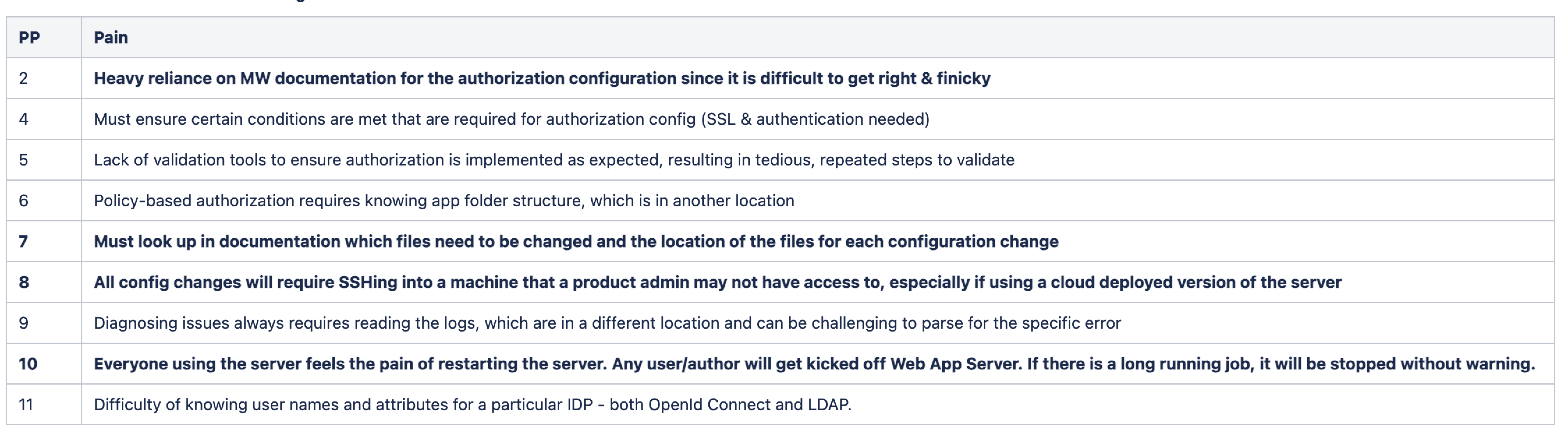
Understanding the Current Workflow
Prior to working on the new functionalities, I set up a meeting with the dev team to understand the current admin Workflow for Web App Server Reference Architecture. This foundational meeting set the stage for the project, ensuring that the design of the Admin Portal was grounded in a deep understanding of the Web App Server's technical environment. Also, it helped bridge any knowledge gaps and allowed me to see how my contributions would integrate with and enhance the existing framework.
High-level workflow involved:
1) Filling out Reference Architecture Template on Chosen Platform (Existing): The admin can deploy the Web App Sever template and then can later upload the authorization files needed for the Admin Portal to the cloud storage location. This upload will trigger a change so that the Admin Portal knows it can authenticate and work.
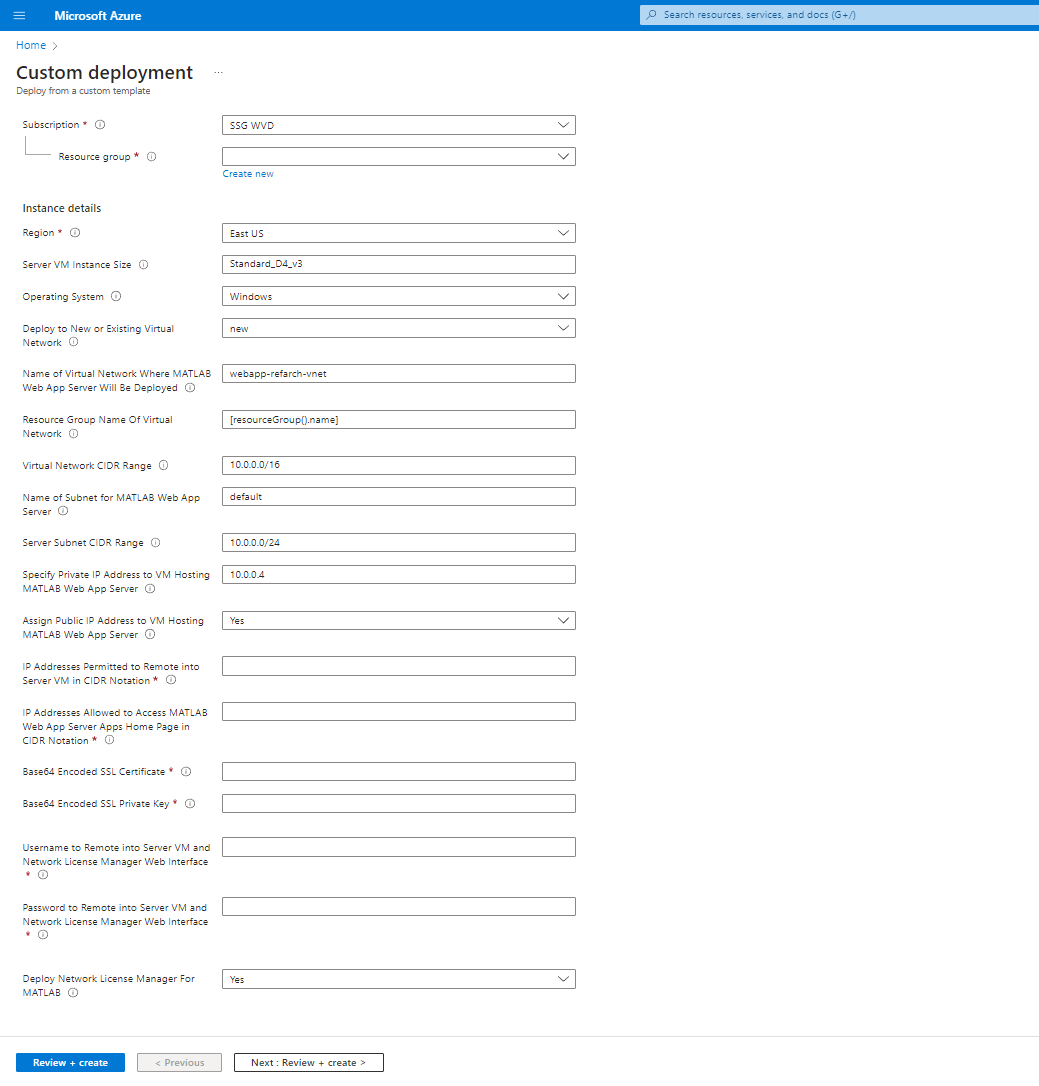
2) Working URL in Outputs that takes them to the Admin Portal Web UI (Existing)
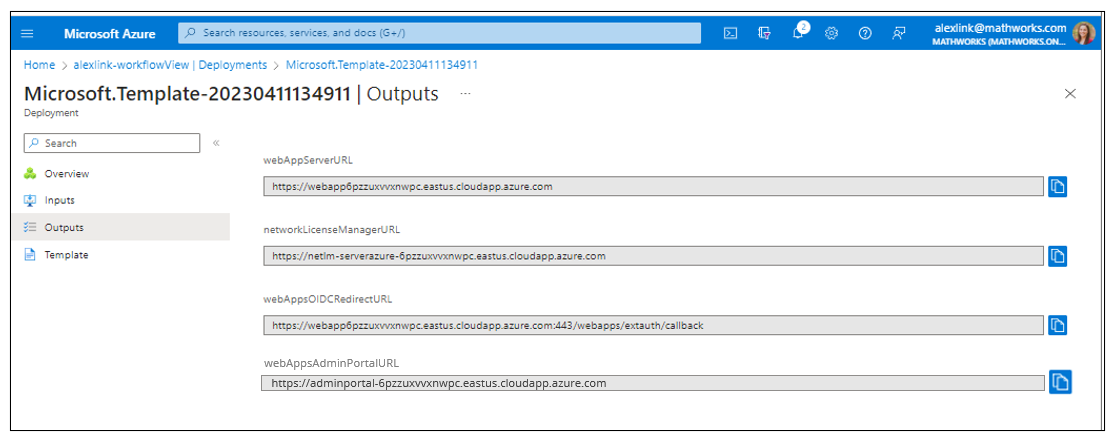
3) Setting up license for Web App Server (out of scope)
4) Configuring Authentication through Admin Portal (New)
5) Setting up Authorization through Admin Portal (New)
6) Accessing/Managing Web App Server through Admin Portal (New)
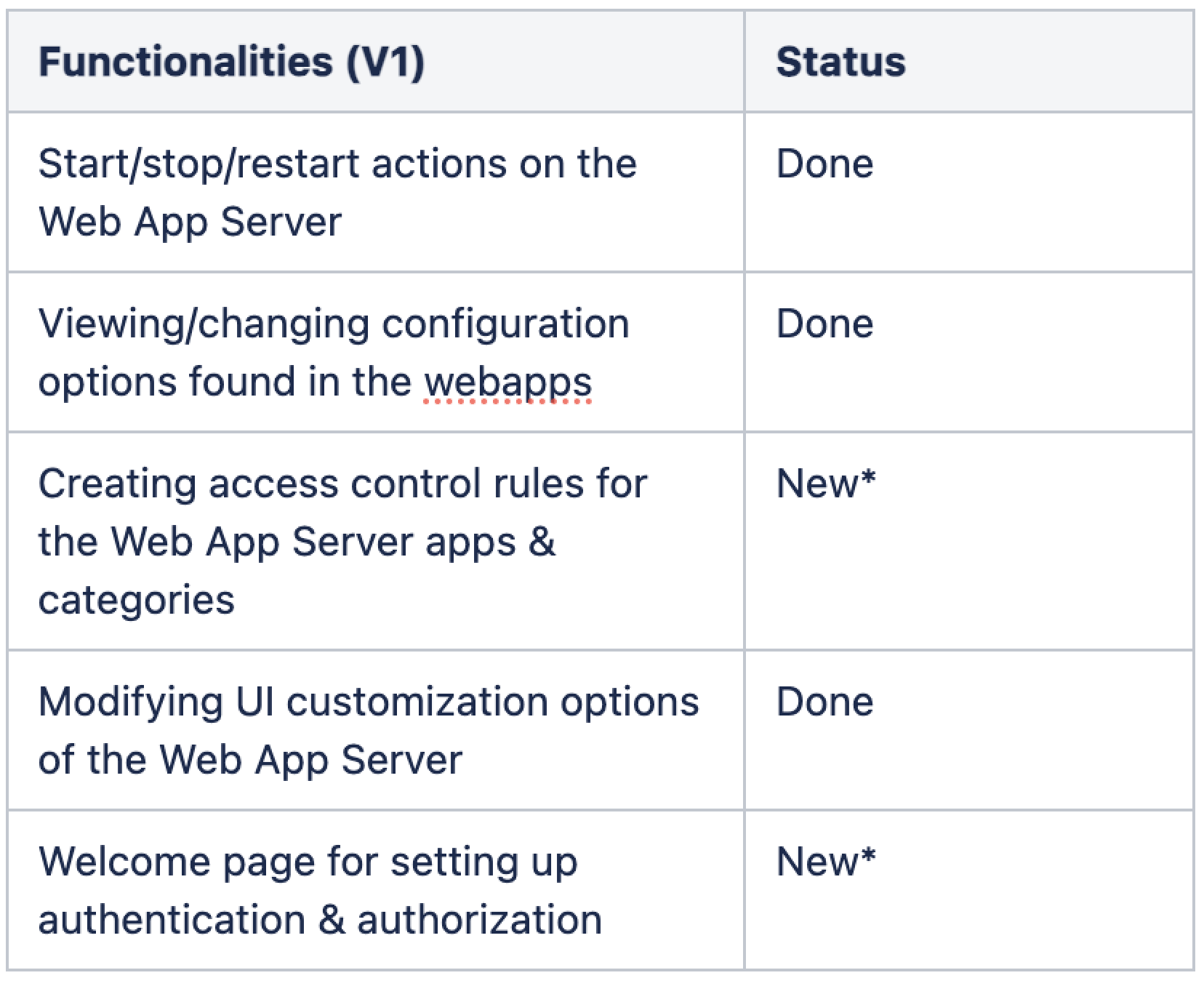
Requirements Document
Some of the functionalities within the Admin Portal had already been conceptualized and partially designed by the dev team. This initial effort provided a solid foundation for the UX team to build upon.
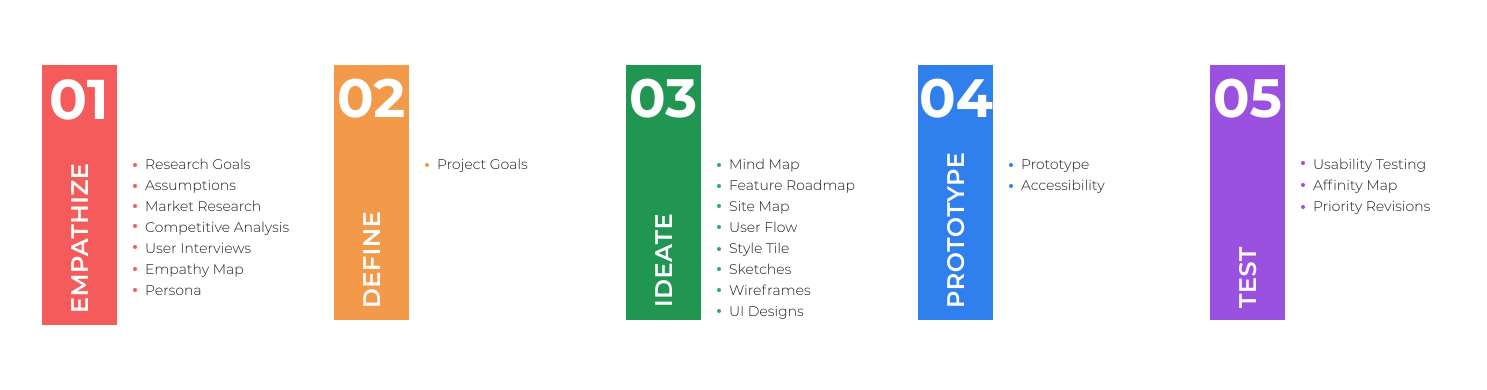
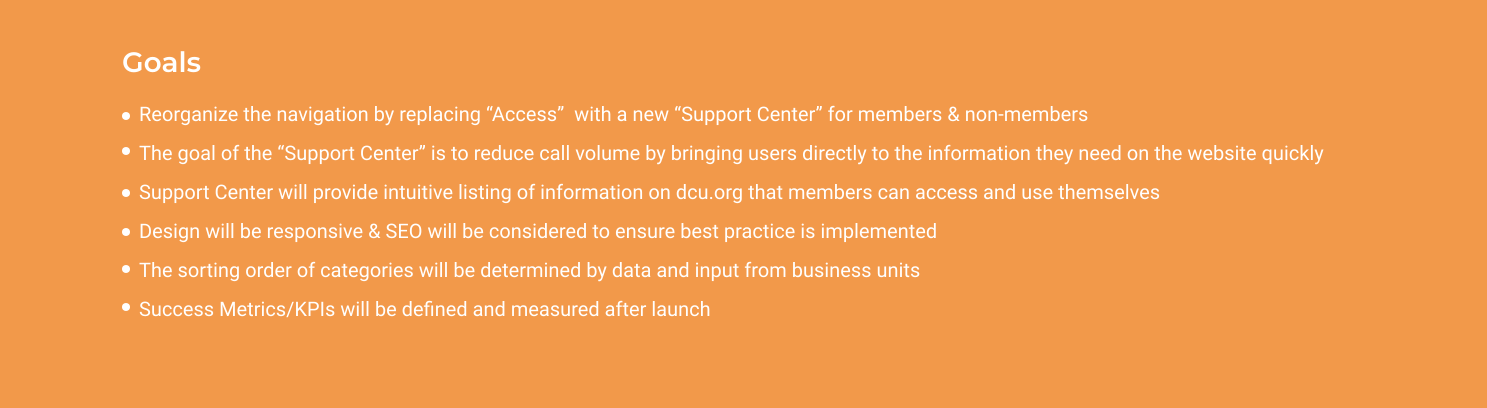
After synthesizing research findings and uncovering needs, next step was to define project goals that allowed me to look at a fresh perspective on the problem from the user’s point of view. I combined business goals from the initial Design Brief and user goals from my Empathy Map, taking into account technical considerations, to visualize how to prioritize features to design for the minimum viable product.
04 — User Workflow
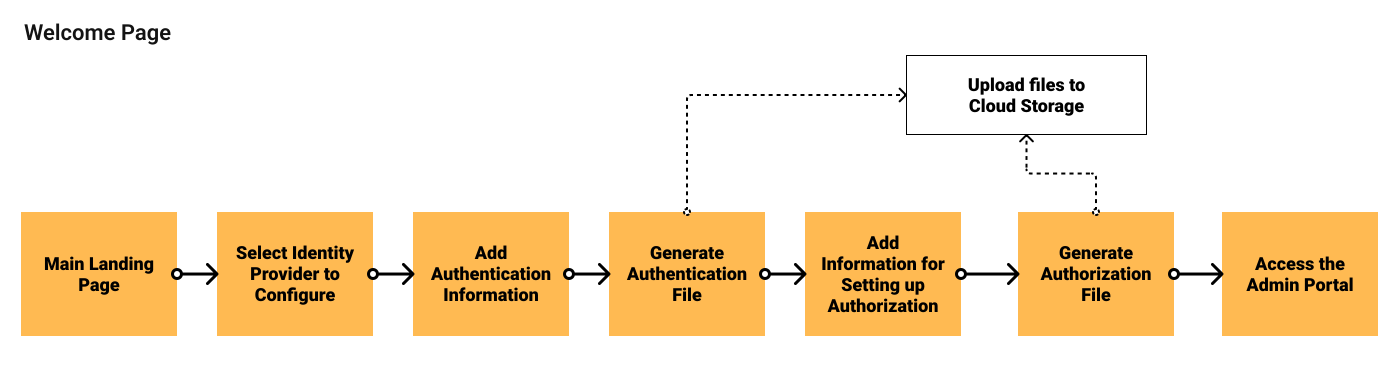
Understanding the admin workflow revealed that configuring authentication and permissions was not a single action, but a sequence of dependent steps. Admins needed clarity on where they were in the process, what files were being generated, and when server actions like restarts were required.
The design focused on turning complex configuration logic into a guided, structured flow. Rather than exposing raw configuration steps, the Admin Portal introduced a progressive setup experience that helped admins move from identity provider setup to authorization management with clear checkpoints and feedback.
Authentication Setup Workflow
The welcome experience guided admins through selecting an identity provider, adding authentication details, and generating configuration files. Each step was designed to reduce ambiguity around setup order and minimize reliance on external documentation. Key design goals:
- Provide a clear entry point for first-time configuration
- Break complex setup into manageable stages
- Make system actions and dependencies visible to users
Rule-Based Access Control
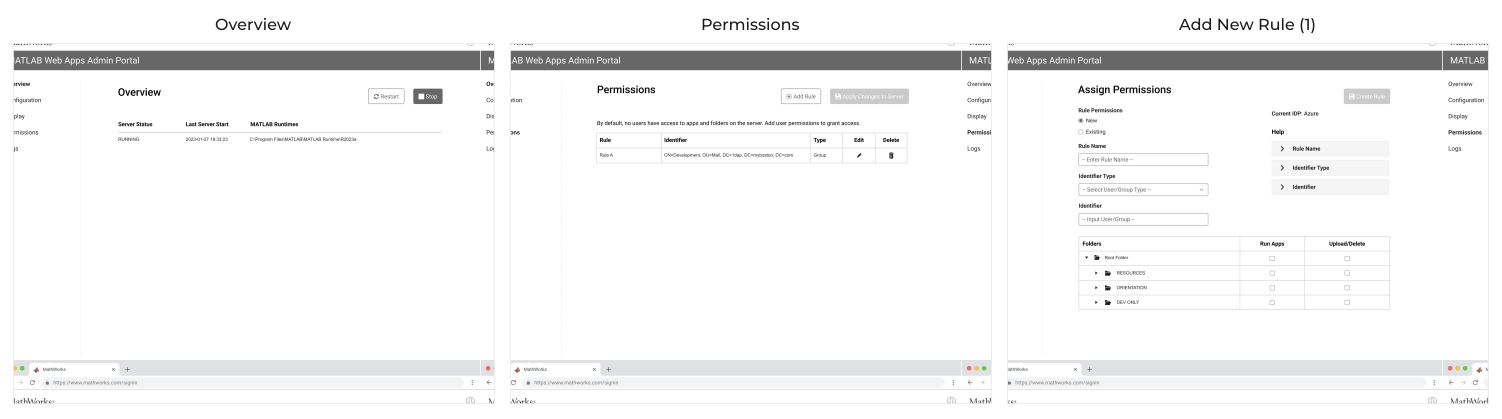
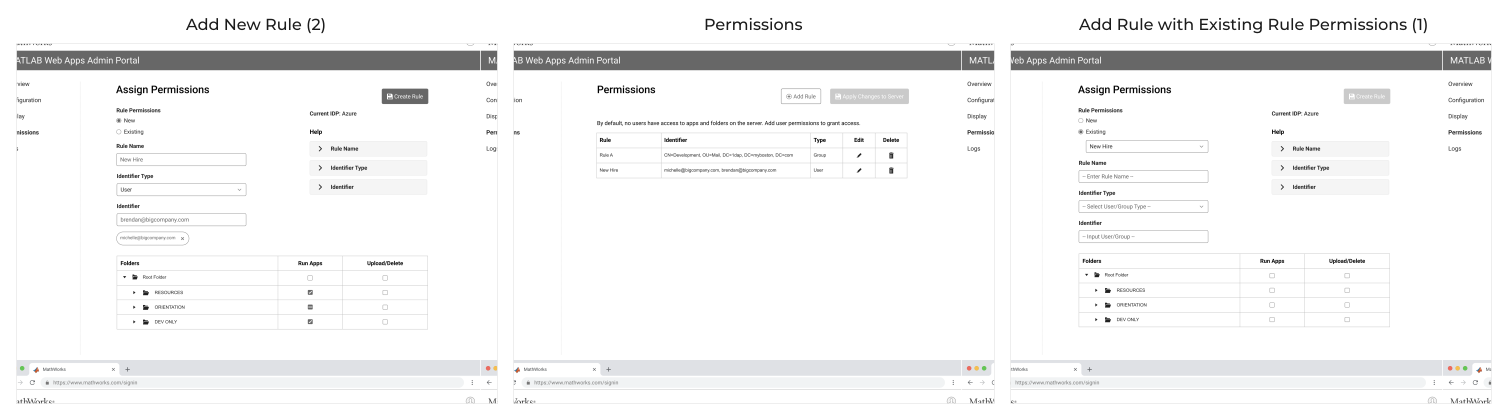
Another major focus was enabling admins to define and manage permissions through a structured rules system. Admins could create new roles, assign users, and configure access without editing configuration files directly.
The workflow supported three primary scenarios:
- Creating new rules from scratch
- Reusing existing permission structures
- Modifying existing rules while maintaining system integrity
.svg)
Finding 1 → Design Decision
Predictable step sequencing for adding roles and permissions
Finding 2 → Design Decision
Clear differentiation between user types and authorization levels
Finding 3 → Design Decision
Explicit feedback when server actions, such as restarts, were required
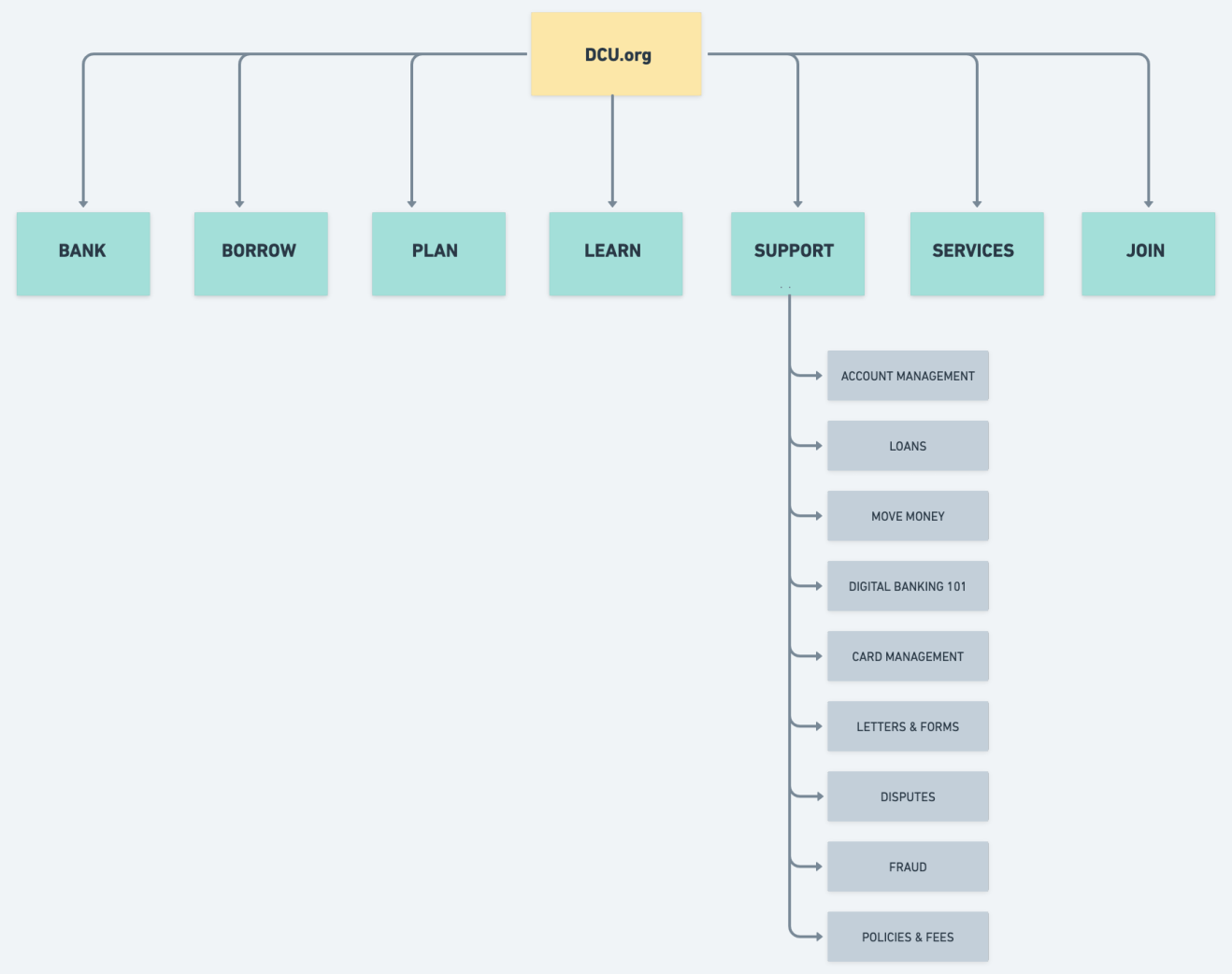
Building from the product goals, feature roadmap, and card sorting results, I created a sitemap that included proposed pages to help plan the structure of the website. By visualizing the information architecture and identifying key relationships between screens, we can better understand the flows and interactions throughout the site.
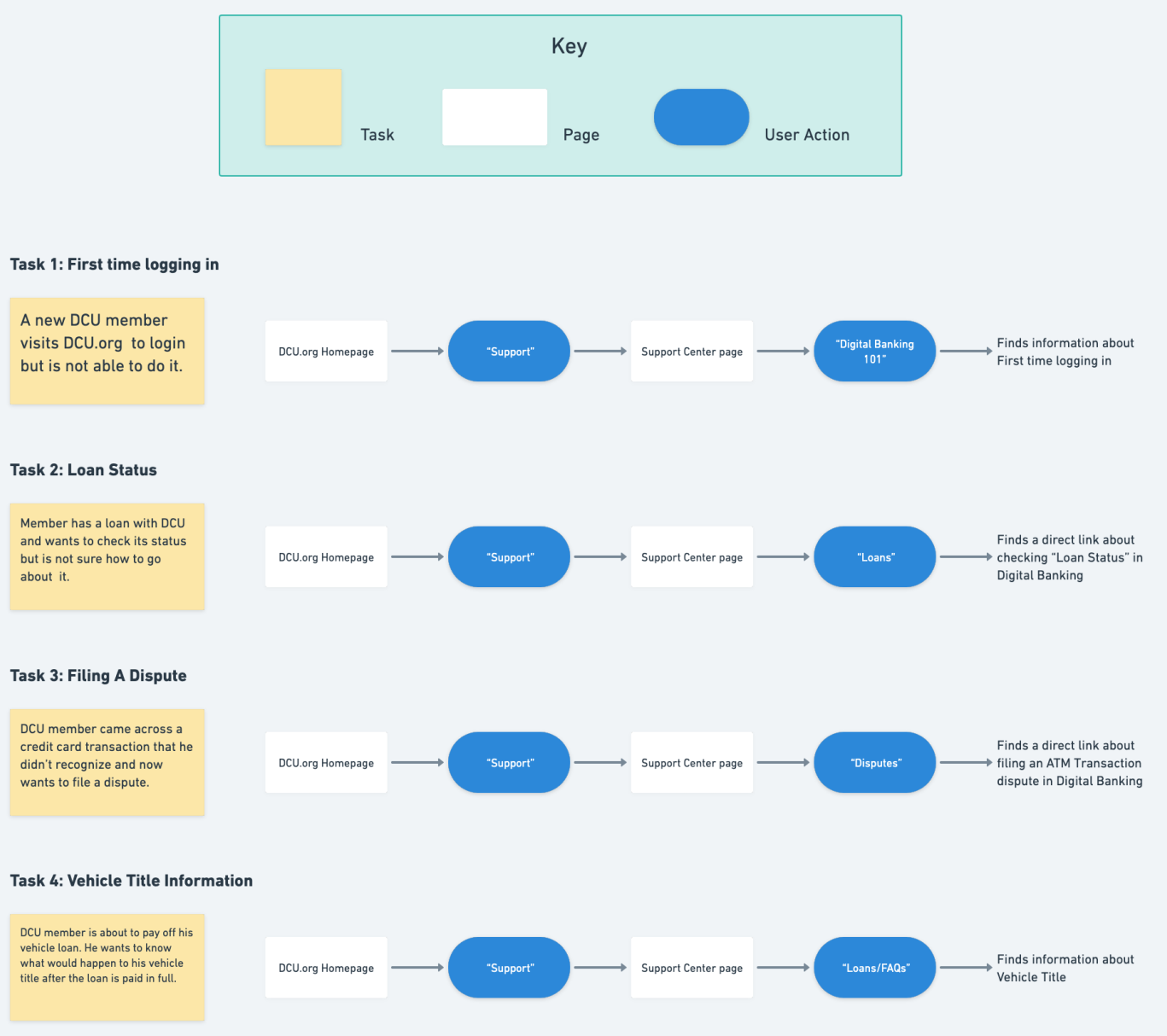
Creating a task flow helped to identify which pages were required within the customer’s process and forced me to think through the customer experience in more detail. Also, once I have the main flow ready, I can use use these tasks to test it out with users. I designed the task flow by breaking down the necessary steps for a user to get from the landing page to the order confirmation page. I was able to outline the screens that need to be created through a task flow exercise.
05 — Design Process
With research complete, the focus shifted to translating insights into structure and interaction.
Concept A — Search-first
A minimalist entry point centered on a large search bar. Browse was secondary. Hypothesis: members who know what they need will resolve their issue faster if search is the primary action. Risk: members without the right vocabulary would still struggle.
Concept B — Browse-first
A visual topic card grid with 9 category tiles plus a secondary search bar. Hypothesis: visual scanning reduces cognitive load for members who can't formulate a search term. This directly addressed the card sorting insight about task-based mental models.
I brought both concepts into Figma as lo-fi wireframes and ran them through a round of informal critique with the product team before building out hi-fi prototypes for A/B testing.
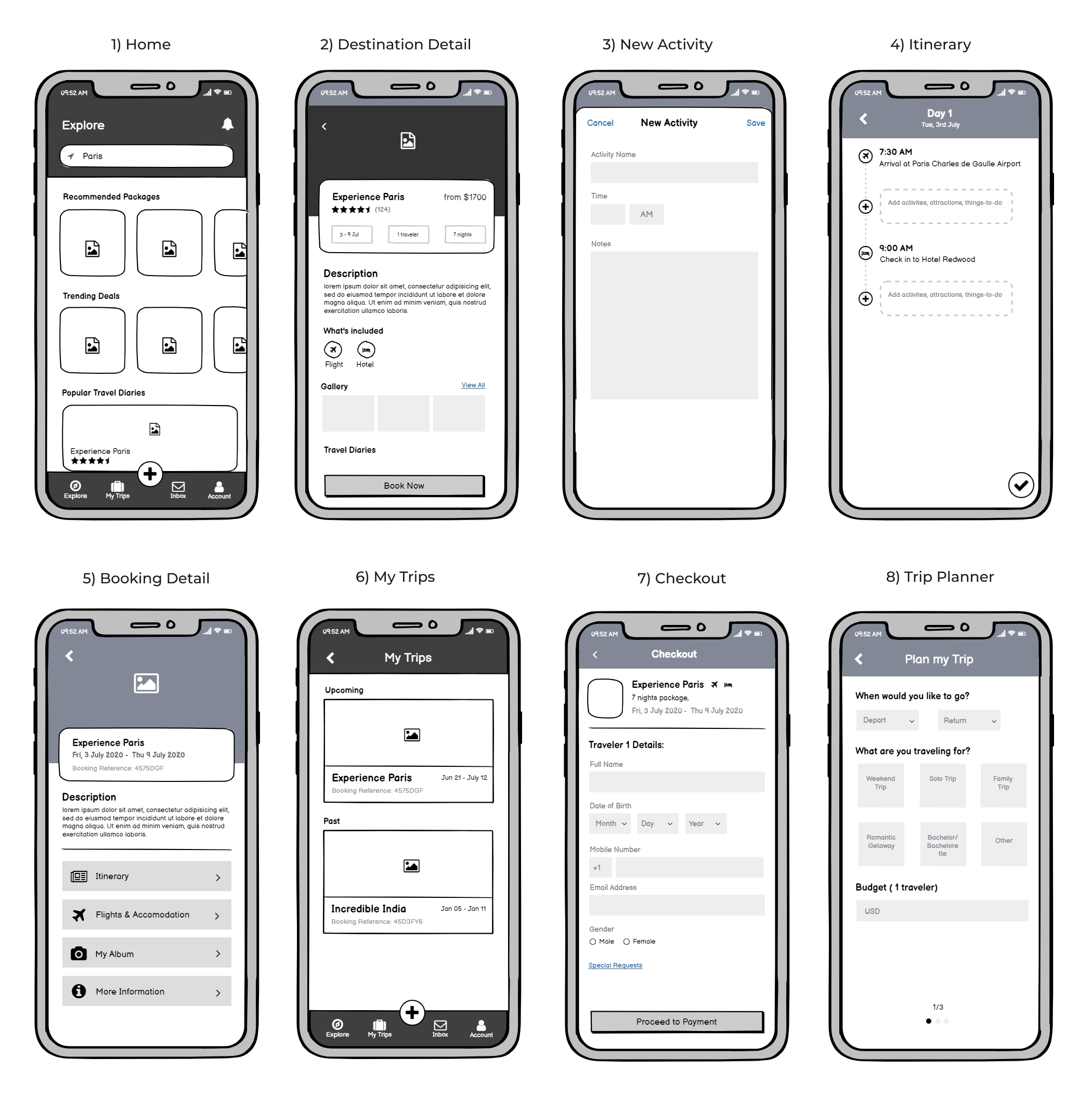
Lo-fi Wireframes
I moved on to creating low-fidelity wireframes for the welcome page and the access control feature. This task was iterative, involving multiple rounds of revisions due to the complexity of the issue.
.svg)
USABILITY TESTING
We conducted a moderated usability session involving five participants, comprising three internal IT administrators and two external IT administrators. The feedback received primarily focused on the permissions workflow.
- Participants found the rule-based access system to be confusing: This complexity in understanding and implementing the rules for access control presented a significant usability challenge.
- They indicated a preference to view access control for the Web App Server from the perspective of who has access to specific resources. This insight highlighted a key area for improvement, suggesting a need to redesign the workflow to better align with the administrators' approach to managing access and permissions.
design iteration 2
Based on the feedback, we decided to pivot towards a resource-oriented access control approach. This new strategy focuses on providing administrators with clear visibility into which users have access to specific applications.
I facilitated a brainstorming workshop using Miro, with the dev and UX team to collaboratively map out the high-level workflow for the new resource-oriented access control approach.
Updated User Flow
.svg)
Wireframes
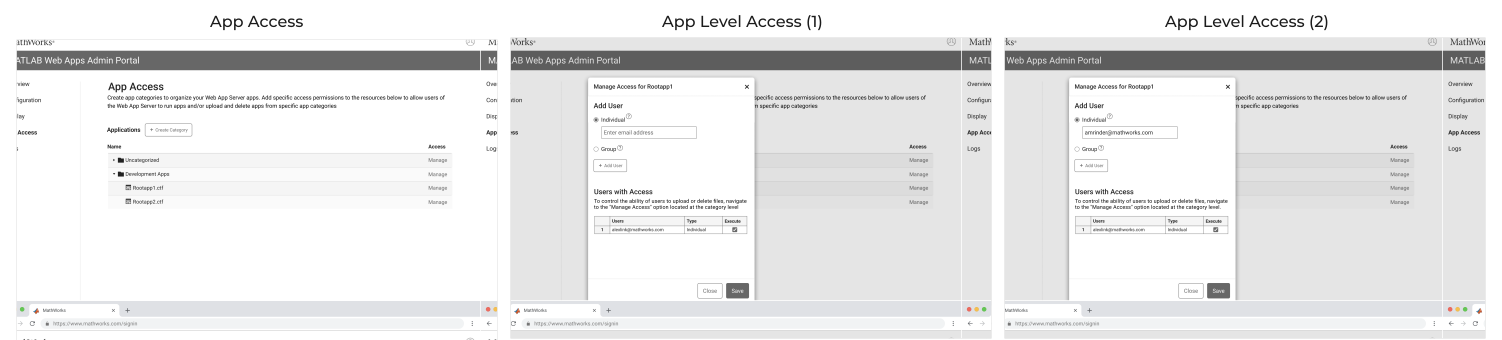
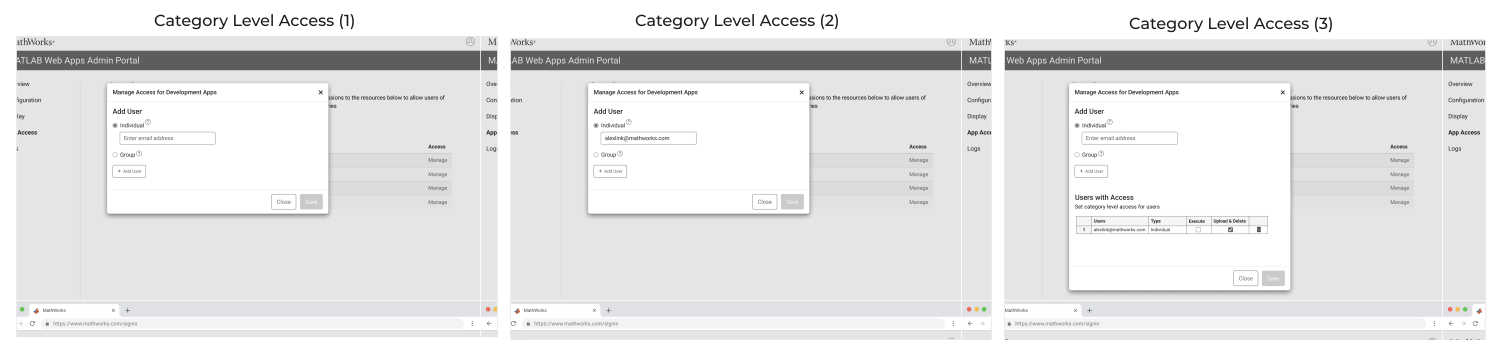
revised designs
The second round of testing, conducted with the newly designed workflow, was met with positive feedback. Participants found the revised resource-oriented access control workflow to be significantly easier to understand, marking a substantial improvement over the initial version. While we received some minor feedback for further refinements, the overall response from the participants was very encouraging.
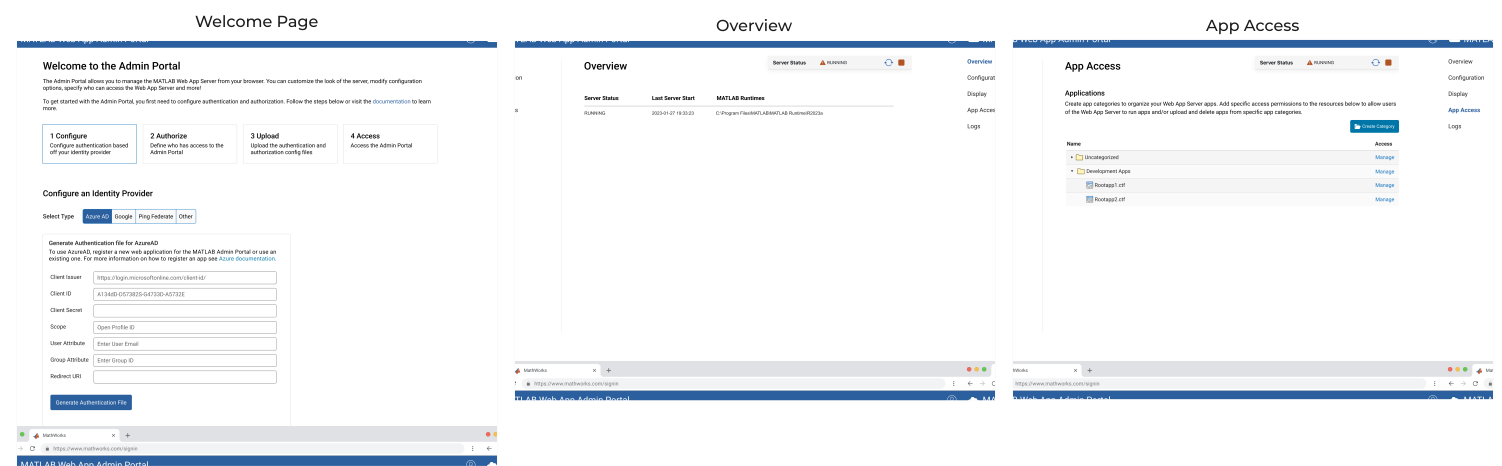
Once the hi-fi wireframes received final approval, they were passed on to the development team for implementation. After the site went live, we leveraged analytics to monitor and analyze user behavior.
08 — Outcomes
12%
Reduction in support call volume
67%
Self-service success rate (from 41%)
+34%
Increase in support page engagement
4.2/5
Member satisfaction score
What I’d do differently
Research started too late. Card sorting and the competitive audit happened after the initial brief, which meant correcting assumptions mid-project. Next time I’d advocate for a dedicated research sprint before any scoping. I also underestimated content migration effort — involving the content team earlier in the define phase would have surfaced that dependency before it became a schedule constraint.
What I’d repeat
The A/B test was the right call. It removed opinion from what could have been a difficult stakeholder conversation, and it gave the whole team shared confidence going into dev. Whenever two fundamentally different navigation models are in play, I’ll use this approach again.
The Admin Portal reached design completion with a full developer hand-off, translating complex server configuration workflows into a structured, scalable interface for MATLAB administrators.
The design phase focused on enabling non-IT MATLAB users to manage authentication, permissions, and server settings through a guided experience rather than manual configuration.
Following hand-off, the design was validated through multiple implementation reviews and iterative refinements during development. These cycles helped align interaction patterns with real system constraints while preserving usability goals
What I’d do differently
Research started too late. Card sorting and the competitive audit happened after the initial brief, which meant correcting assumptions mid-project. Next time I’d advocate for a dedicated research sprint before any scoping. I also underestimated how long content migration would take — involving the content team earlier in the define phase would have surfaced that dependency before it became a schedule constraint.
What I’d repeat
The A/B test was the right call. It removed opinion from what could have been a difficult stakeholder conversation, and it gave the whole team shared confidence going into dev. Whenever two fundamentally different navigation models are in play, letting members decide through structured testing is always the right move.
What I’d do differently
Early alignment with engineering constraints would have reduced iteration cycles during implementation. Some workflows required adjustments once backend limitations surfaced, reinforcing the value of deeper technical validation earlier in the design process.
What I’d repeat
Collaborating closely with engineering during hand-off ensured that complex admin workflows translated cleanly into production. Iterative usability testing helped refine details like permission logic, server restart messaging, and configuration feedback without compromising usability.